

Quick answer: Copilot is already part of Business Central online and is included in the license at no extra cost. At Directions EMEA 2026, Microsoft confirmed that the new Microsoft Copilot experience in Business Central reaches general availability in January 2027, with Business Skills and Business Central agents in Cowork following in 2027. Getting ready means checking where your data is processed, choosing which capabilities to switch on, giving the right people access, cleaning your data, writing down how your business works, starting with one process, setting up billing for agents, and keeping people in charge of every decision.
If you run Business Central online, Copilot is already switched on. The real question is whether your data, permissions, and people are ready for it.
That question became more urgent in Paris. At Directions EMEA 2026, Microsoft put dates on the next wave of Copilot features for Business Central. The companies that prepare their data, permissions and processes in the next few months will be the ones ready to use those features as soon as they arrive. Whether you run Business Central yourself or roll it out for clients, these are the things worth setting up first.
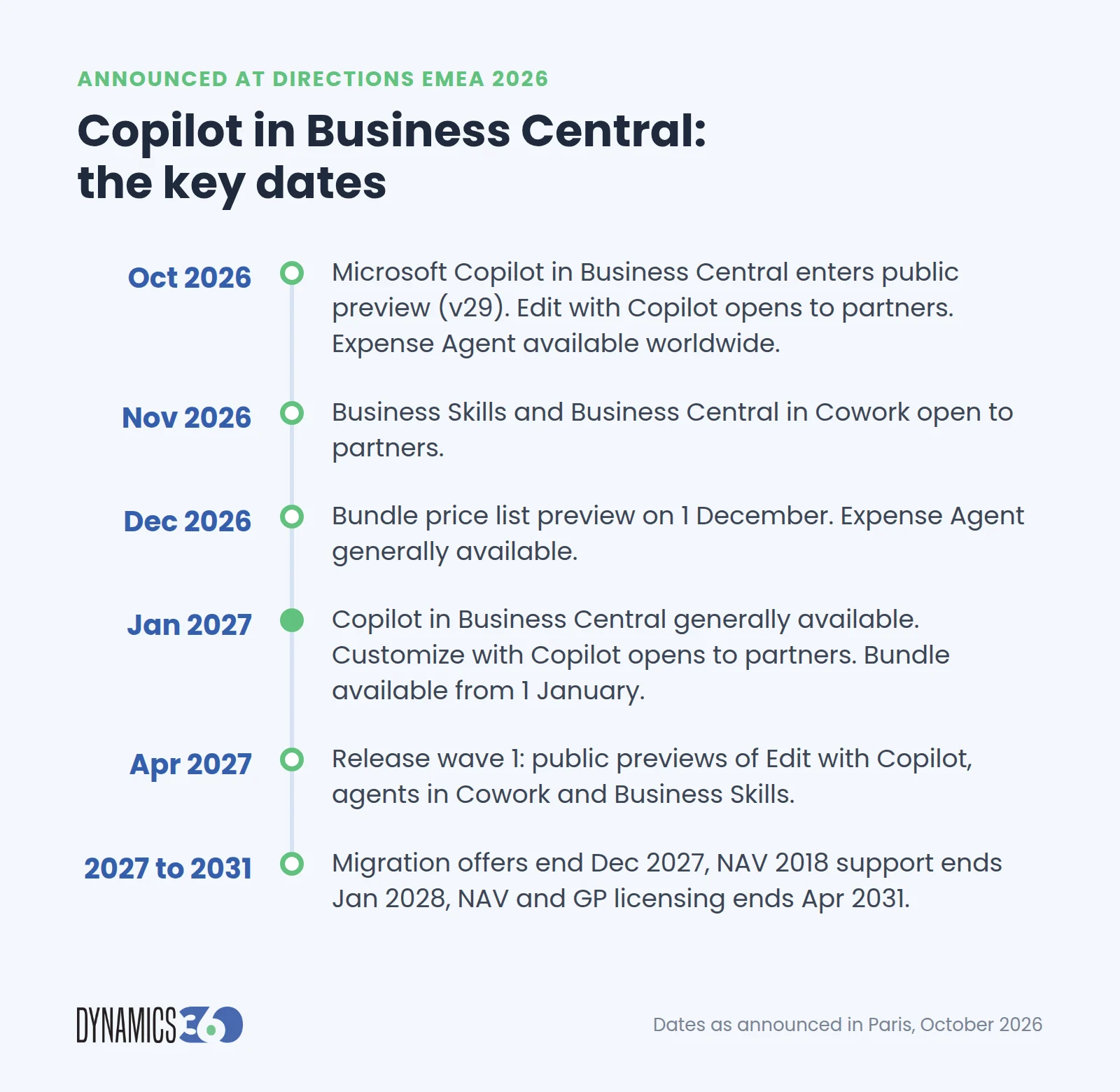
Key dates at a glance:
| When | What happens |
|---|---|
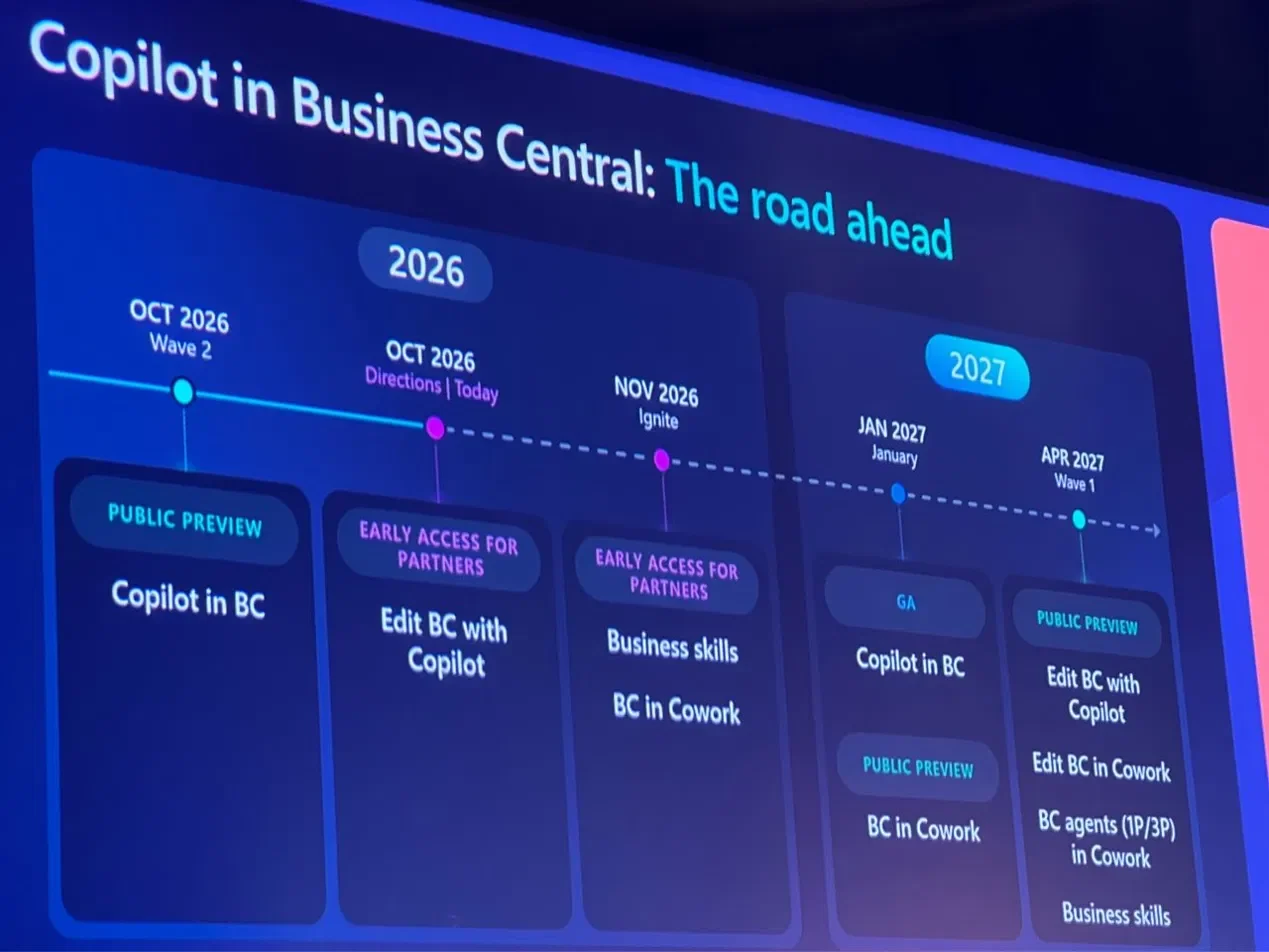
| October 2026 | Microsoft Copilot in Business Central enters public preview with version 29, replacing the previous Chat with Copilot experience. Partners get early access to Edit with Copilot. The Expense Agent reaches worldwide availability |
| November 2026 | Partners get early access to Business Skills and Business Central in Cowork |
| 1 December 2026 | Price list preview for the Business Central and Microsoft Copilot bundle |
| December 2026 | The Expense Agent becomes generally available |
| January 2027 | Copilot in Business Central becomes generally available. Business Central in Cowork enters public preview. Partners get early access to Customize with Copilot. The bundle is available to buy from 1 January |
| April 2027 | Release wave 1 brings public previews of Edit with Copilot, Business Central agents in Cowork, and Business Skills |
| December 2027 | Migration vouchers and Bridge to Cloud 3 end |
| January 2028 | Dynamics NAV 2018 support ends |
| April 2031 | Licensing ends for Dynamics NAV and Dynamics GP |
Dates as announced at Directions EMEA 2026 in Paris, 27 to 29 October. Roadmaps can change, so check Microsoft’s release plans before you commit to a date.
What is Microsoft Copilot in Business Central?
Starting with version 29, Microsoft Copilot replaces the previous Chat with Copilot experience in Business Central. You open it from the Copilot button near the top right of the page, then ask questions about your Business Central data, such as “Show the latest invoices”, or ask how to complete a task.
Two details matter when you plan your rollout:
- It reads; it does not change. Microsoft Copilot in Business Central currently uses read-only operations, so it can show and explain data but cannot update records. Editing data with Copilot is the next step on the roadmap, with Edit with Copilot opening to partners first.
- Work data needs a Microsoft Copilot license. To bring in meetings, emails, chats and files from Microsoft 365 through Work IQ, users need a Microsoft Copilot license. This is where the new bundle comes in.
Is Copilot in Business Central free, and can you turn it off?
Copilot is included; agents are billed per use. Microsoft includes Copilot in Business Central with the license at no extra cost. Agents are different. The Sales Order Agent, the Payables Agent and the Expense Agent use consumption-based billing, charged in Copilot Credits each time they work.
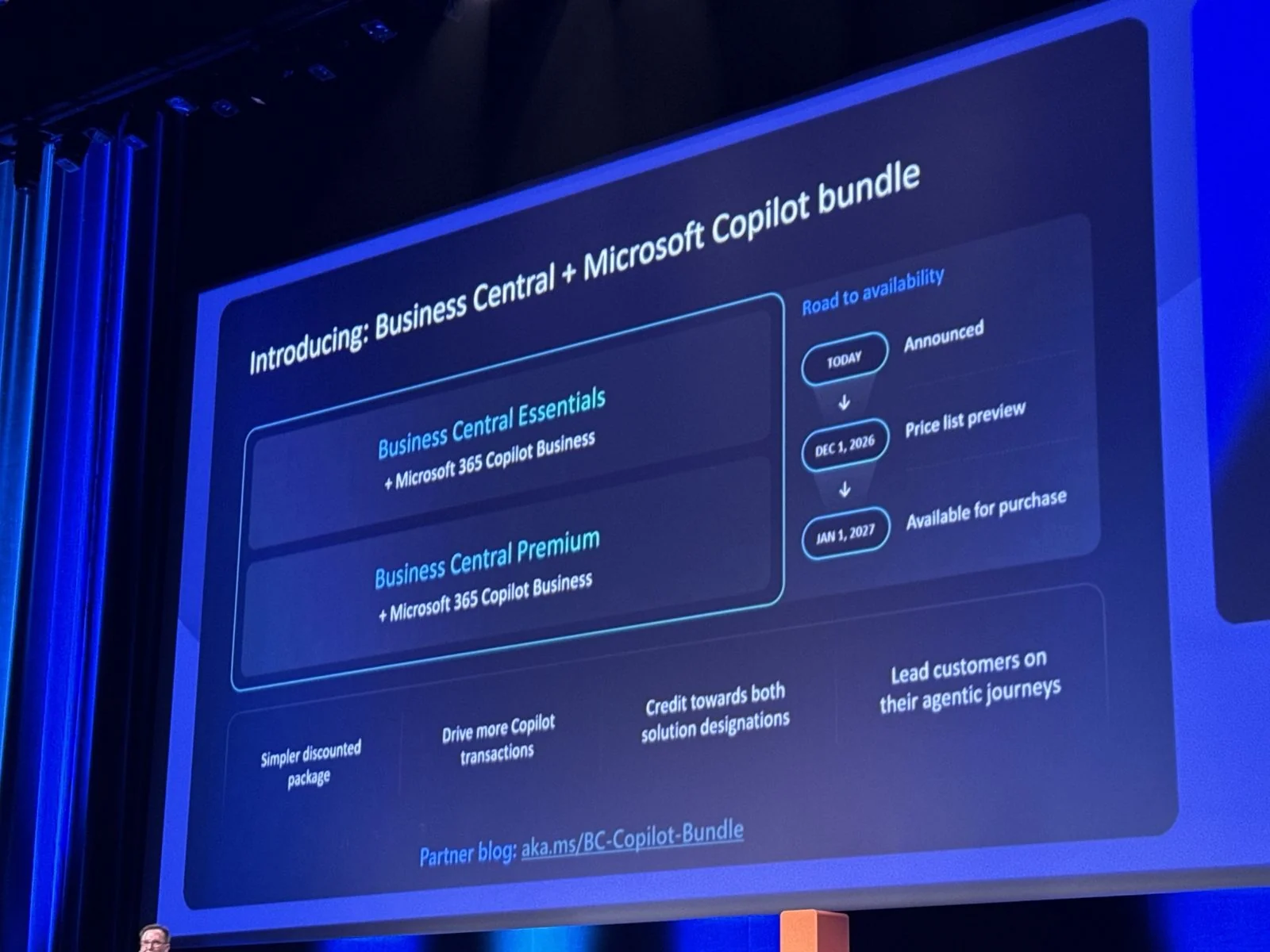
A new bundle adds Microsoft 365 Copilot. At Directions EMEA 2026, Microsoft announced a bundle that pairs Business Central Essentials or Premium with Microsoft 365 Copilot Business. The price list preview is on 1 December 2026, and the bundle is available to buy from 1 January 2027. It suits companies that want Copilot across Microsoft 365 as well as inside Business Central. Pricing is expected with the December price list.
You cannot turn Copilot off, but you can control it. Copilot is a system feature, so there is no single off switch. Instead, administrators decide which individual capabilities are active, who can use them, and whether data may be processed in another region. Almost all of that happens on one page in Business Central: Copilot & agent capabilities.
Eight steps to get ready:
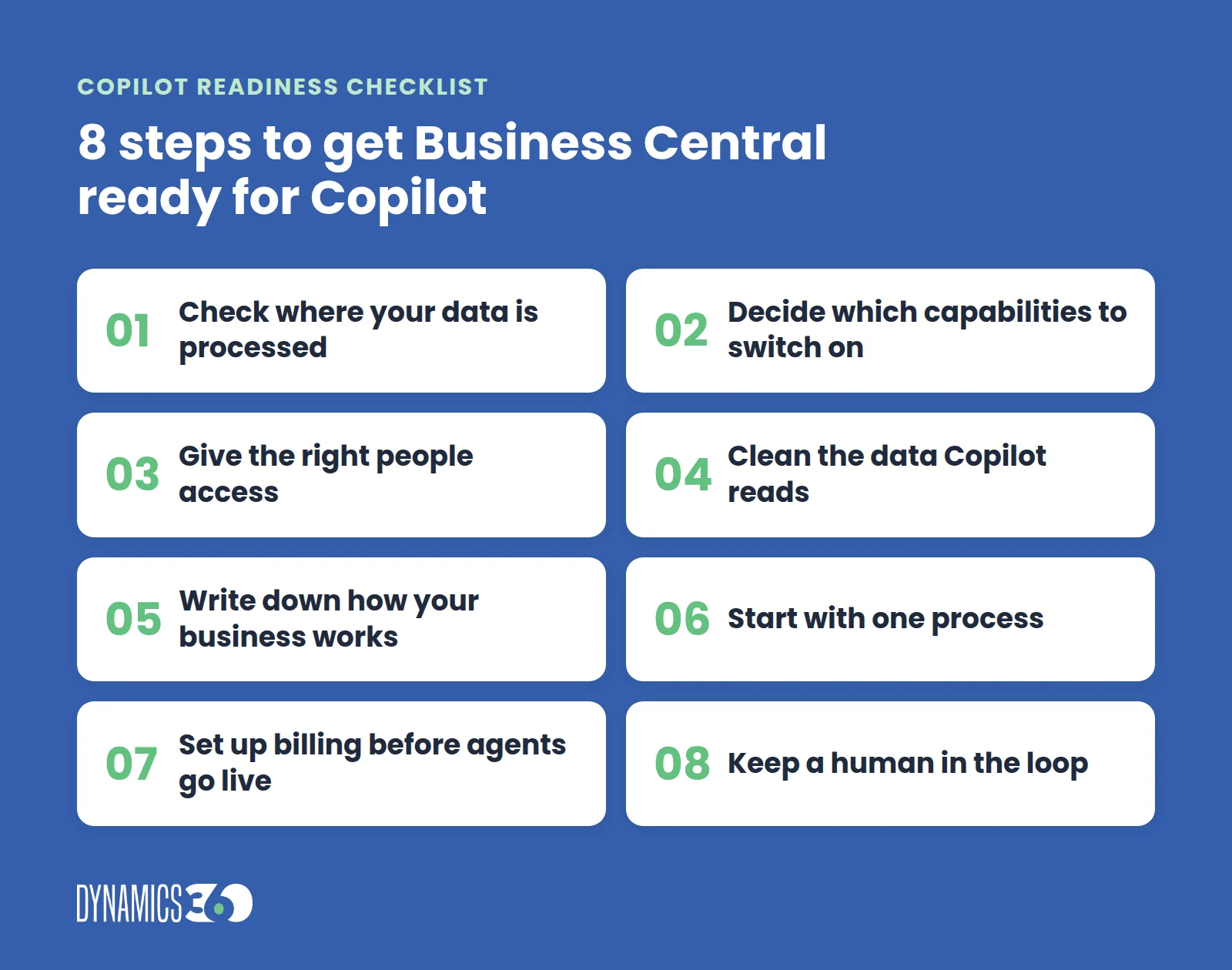
1. Check where your data will be processed
Copilot uses Azure OpenAI services managed by Microsoft. If your Business Central environment sits in a different Azure region from those services, an Allow data movement toggle appears at the top of the Copilot & agent capabilities page, as described in Microsoft’s guide to configuring Copilot and agent capabilities.
This is a decision, not a formality. With the toggle off, any capability that would process data in another region simply becomes unavailable. With it on, those capabilities work, and your data may be processed outside your environment’s geography. For European companies in particular, agree this with whoever owns data protection before anything else is switched on.
If you see a “How do I govern my Copilot data?” link instead of the toggle, your environment is already in a supported region, and there is nothing to decide here.
2. Decide which capabilities to switch on
Copilot and agent capabilities are active by default once they reach preview or general availability. The Copilot & agent capabilities page lists every one of them, split into preview and generally available, with an Activate and Deactivate button for each.
Go through the list rather than accepting the defaults. Keep the capabilities that support a real process you want to improve, such as bank reconciliation, sales line suggestions, e-document matching, or analysis assist. Deactivate preview features you are not ready to support yet. You can switch them back on later. Review the list again after each release wave, because new capabilities arrive switched on.
3. Give the right people access
Most capabilities are controlled through the normal Business Central permission system. Each one needs specific permission sets or execute permissions on system objects, which Microsoft lists per capability.
A practical approach is to start with a small pilot group, such as the finance team for bank reconciliation or two sales coordinators for order entry, and widen access once they are comfortable. It keeps early feedback focused and makes it easier to see what is actually working.
4. Clean the data Copilot will read
Copilot works with the data already in Business Central. If item descriptions are vague, customer records are duplicated or vendor details are out of date, the suggestions will be too. This is the step most often skipped, and the one that most affects whether people trust the results.
Focus on the areas linked to the capabilities you activated:
- Items: clear descriptions, units of measure and attributes, for marketing text and sales line suggestions
- Customers and contacts: no duplicates and current email addresses, for the Sales Order Agent
- Vendors: correct bank details, payment terms and posting setup, for the Payables Agent
- Bank and ledger setup: tidy account mappings, for bank reconciliation
None of this is AI work. It is ordinary data housekeeping, and it pays off well beyond Copilot.
5. Write down how your business works
Clean data tells Copilot what you have. Business Skills will tell it how you work.
Announced at Directions EMEA 2026, Business Skills turn your existing policies, standard operating procedures and handbooks into instructions that Copilot and agents follow. Each skill is saved in Business Central, written in plain Markdown, and can be drafted by Copilot from a document you already have. Partners get early access from November 2026, with public preview in April 2027.
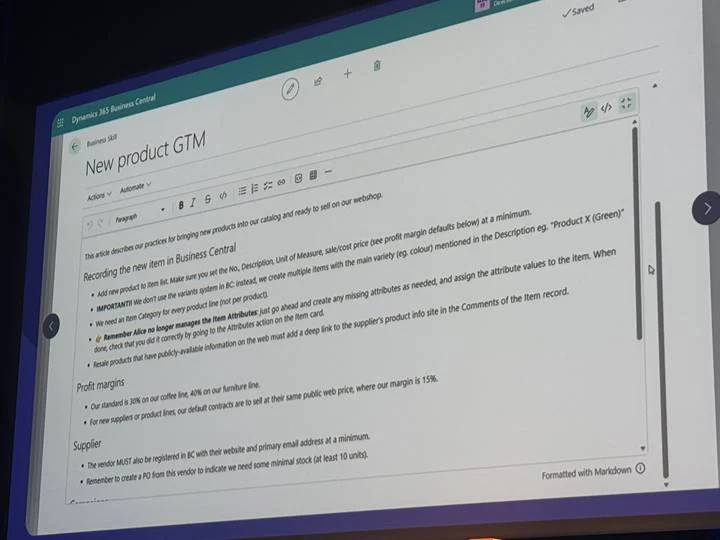
You do not need to wait to prepare. Collect the documents that describe your key processes, such as how new items are set up, how expenses are approved or which supplier rules apply, and check that they are current. When Business Skills arrive, they become your starting point.
6. Start with one process, not everything
The fastest way to show value is to pick one process where people spend time on repetitive work, set a simple measure, and run it for a few weeks. For example:
| Process | Copilot or agent | What to measure |
|---|---|---|
| Orders arriving by email | Sales Order Agent | Time from email to sales quote or order |
| Vendor invoices | Payables Agent | Time to register a purchase invoice |
| Employee expenses | Expense Agent | Time from receipt to approved expense report |
| Monthly bank reconciliation | Bank reconciliation with Copilot | Hours spent matching lines |
| Product listings | Marketing text with Copilot | Time to publish a new item |
Once one process works and users trust it, the next one is much easier to roll out.
7. Set up billing before agents go live
If you plan to use agents, billing needs to be in place first. Business Central supports two models, and you can use both:
- Prepaid capacity: Copilot Credit packs bought in advance. When available, prepaid capacity is used first.
- Pay-as-you-go: you pay for the Copilot Credits actually used each month.
Usage depends on how each agent works. Microsoft’s published rates give a feel for it: the Expense Agent uses 50 Copilot Credits per uploaded receipt, while the Sales Order Agent uses 2 credits to analyze an incoming email and 5 for an attachment that contains sales data.
The Expense Agent is worth a closer look. Microsoft announced worldwide availability in October 2026 and general availability in December 2026. At Directions EMEA, it showed the agent reading a receipt in Danish kroner, converting it, and flagging it against company policy before submission, with sample data so it is ready to demo from day one.
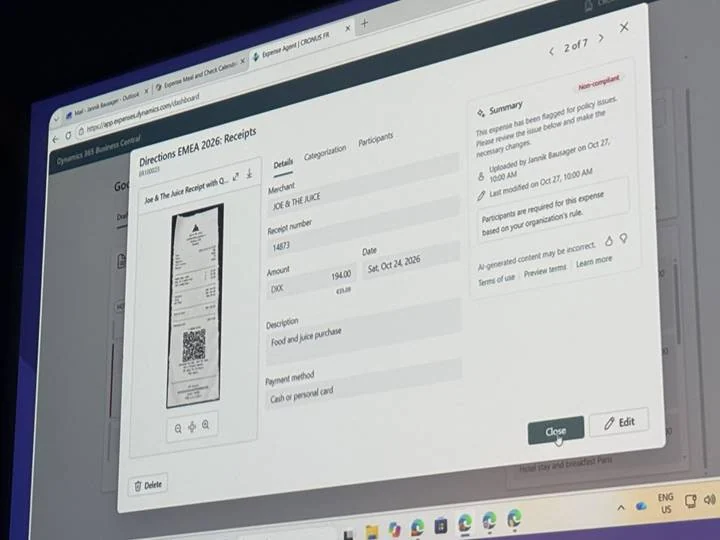
One more thing to keep in mind: Copilot Credit capacity is shared across the tenant, so other Microsoft services can draw from the same pool. Agree a monthly budget and check usage regularly during the pilot.
8. Prepare users, and keep a human in the loop
Copilot suggests, and people decide. Users should know that every draft, match or proposed order needs a quick review before it is posted, and agents in Business Central are designed to ask for review at key steps.
Microsoft closed its Directions EMEA keynote with the same message. The one thing it will never ship is your judgment: the instinct to look at a business and see what it could become.
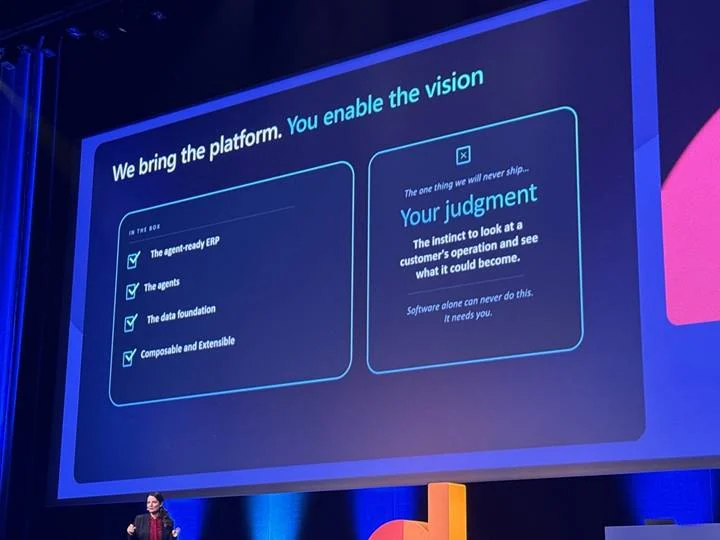
A short session for the pilot group goes a long way: what each capability does, what good output looks like, and what to do when a suggestion is wrong. Leave the built-in feedback on AI-generated content switched on during the pilot, so users can flag poor results while they are still fresh.
Your Copilot readiness checklist
| Step | Where | Who |
|---|---|---|
| Decide on data movement across regions | Copilot & agent capabilities page | Administrator with data protection owner |
| Review and activate capabilities | Copilot & agent capabilities page | Administrator |
| Assign permissions to a pilot group | Permission sets | Administrator |
| Clean item, customer, vendor and bank data | Master data pages | Process owners |
| Collect and update process documents | Policies, procedures and handbooks | Process owners |
| Choose one process and a measure | Team decision | Business lead |
| Set up billing for agents | Power Platform and Copilot Credit settings | Administrator with finance |
| Brief the pilot users | Short training session | Business lead or partner |
Moving from NAV or GP? Start the clock now
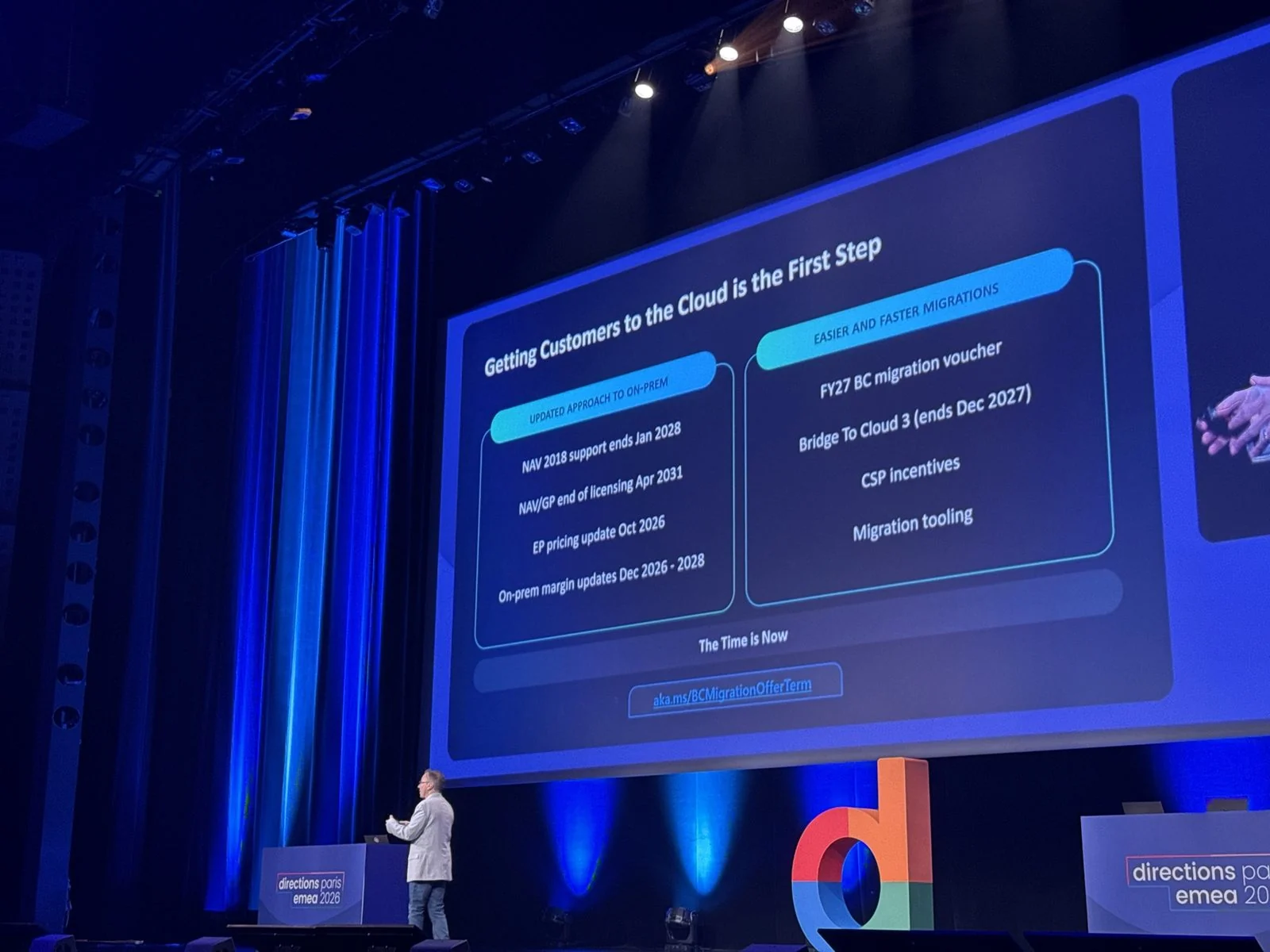
Copilot and agent capabilities are part of Business Central online, so companies still on Dynamics NAV or Dynamics GP need to move first. At Directions EMEA 2026, Microsoft confirmed that Dynamics NAV 2018 support ends in January 2028, and licensing for Dynamics NAV and Dynamics GP ends in April 2031. Migration vouchers and Bridge to Cloud 3 run until December 2027, which makes the next year the right time to plan the move.
Getting help with the setup
If you run Business Central yourself, most of these steps take days rather than months. The data clean-up, the process documents, and the choice of a first process usually take the longest.
If you are a Microsoft partner, ISV or reseller, Copilot is becoming part of the Business Central sale from day one, with the bundle available in January 2027 and Customize with Copilot opening for partners the same month. The checklist above works as a repeatable readiness service you can offer across your client base.
Dynamics 360 has delivered Microsoft Dynamics 365 projects since 2016, for businesses directly and behind partners, ISVs, and resellers. We help with Copilot readiness, custom Business Central agents, NAV and GP migrations to Business Central, and the data work that makes Copilot useful. Our team was at Directions EMEA 2026 in Paris, and you can meet us at Microsoft Convergence 2026 in Miami in December, or book a meeting.